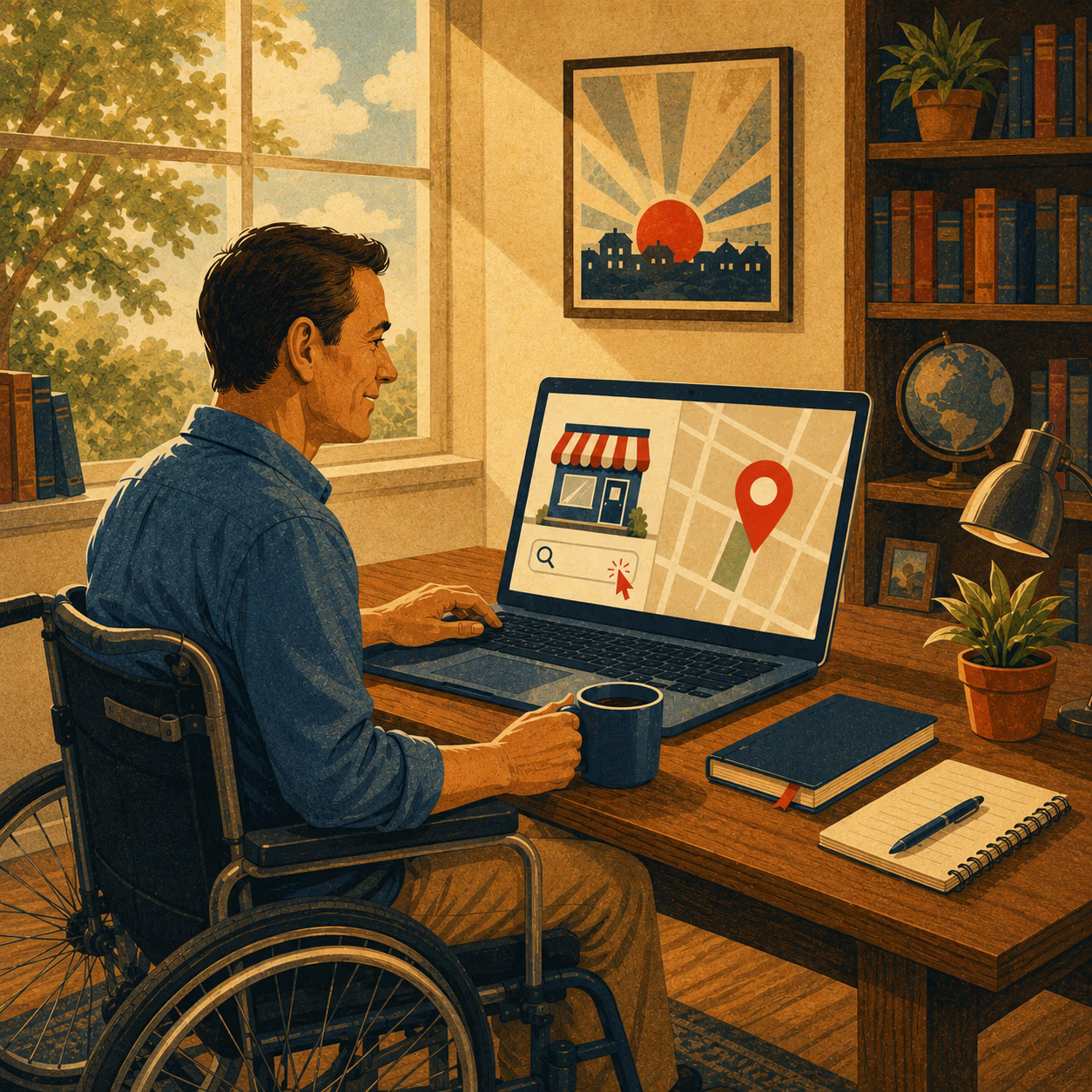
Accessibility for website and marketing is about making your digital presence easier for more people to use.
That includes your website, landing pages, contact forms, ads, videos, emails, social posts, PDFs, and online tools. If someone cannot read your content, watch your video, complete your form, book a call, or understand your offer, there is a barrier on the trail.
For many businesses, accessibility still feels like a technical issue. Something for developers to worry about at the end of a website build. But that view misses the bigger picture.
Accessibility is part of trust. It is part of marketing. It is part of customer service. It is part of SEO. And for businesses that want to grow online, it should be part of the map from the start.
This guide explains what accessibility means, why it matters, how it connects to marketing performance, and what your business can do next.
TL;DR
- Accessibility for website improvements help more people read, navigate, trust, and contact your business.
- Accessible marketing removes barriers across videos, emails, social posts, ads, and landing pages.
- WCAG gives businesses a clear standard for building better digital experiences.
- Start with high-value pages, forms, captions, contrast, alt text, and mobile navigation.
- Treat accessibility as an ongoing growth strategy, not a one-time checklist.
What Accessibility Means for Your Business
Accessibility means making your website and marketing easier for more people to use.
In plain English, it means people should be able to see, hear, understand, navigate, and act on your content, even if they use assistive technology or interact with your brand in a different way.
That might include someone using a screen reader, keyboard navigation, captions, zoom tools, voice control, high contrast settings, or mobile accessibility features.
It also helps people in everyday situations.
Someone watching a video without sound needs captions. Someone outside in bright sun needs strong contrast. Someone filling out a form on a phone needs clear labels and simple steps.
Accessibility helps people with:
- Visual disabilities
- Hearing disabilities
- Motor disabilities
- Cognitive or learning disabilities
- Temporary injuries
- Age-related changes
- Situational limits, such as noise, glare, or slow internet
In Canada, this is not a small audience. Statistics Canada reported that in 2022, more than one in four Canadians aged 15 and older, or 8 million people, had one or more disabilities. Statistics Canada also reported that 72% of persons with disabilities experienced at least one barrier in areas such as public spaces, communication, internet use, or behaviours and assumptions.
The takeaway is simple: accessibility is not a side trail. It is part of how people experience your business.
Why Accessibility Is a Business Growth Issue, Not Just a Compliance Issue
Accessibility is often discussed as a legal or compliance issue. That matters, especially for public-facing organizations, regulated sectors, and larger companies. But business owners should also see accessibility as a growth issue.
If your website is easier to use, more people can take the next step.
That next step might be:
- Reading about your services
- Watching a product video
- Clicking a call-to-action button
- Filling out a quote form
- Booking a consultation
- Buying a product
- Subscribing to an email list
- Applying for a job
- Contacting your team
When accessibility is weak, people can get blocked before they ever become a lead.
Fable’s research on online shopping found that people with disabilities in its survey shopped online for physical products more often than the general consumer benchmark it cited, with 50% shopping weekly compared with 22% of general consumers. The same research found that accessibility was the most frequently mentioned reason people with disabilities chose one website over another.
That matters for every business that depends on a website to build trust.
Fable also reported that 27% of surveyed respondents gave up on making a purchase because of accessibility issues at least once a month, and 81% regularly experienced frustrating accessibility issues when shopping online.
This is not only about ecommerce. The same idea applies to service businesses. If your form is confusing, your buttons are unclear, your colours are hard to read, or your video has no captions, people may leave.
Accessibility also supports SEO. Clear headings, descriptive links, useful alt text, transcripts, readable copy, and well-structured pages help people and search engines understand your content.
Good accessibility clears the trail. Better access means more people can move forward.
What WCAG Is and Why Businesses Should Care
WCAG stands for Web Content Accessibility Guidelines.
It is the main international standard for making web content more accessible to people with disabilities. W3C explains that WCAG applies to web pages, web applications, multimedia, mobile web content, digital documents, software, and other digital experiences.
For most business owners, WCAG can feel technical. That is because it is a technical standard. But the basic idea is easy to understand:
WCAG gives your team a shared rulebook for building and testing accessible digital content.
WCAG 2.2 has 13 guidelines organized under four principles: perceivable, operable, understandable, and robust. Each guideline has testable success criteria at three levels: A, AA, and AAA.
In 2025, WCAG 2.2 was approved as an ISO/IEC international standard. That gives it even more weight as a recognized global standard for accessible digital content.
For most business, nonprofit, education, and public-facing websites, the practical goal is usually:
Build toward WCAG 2.2 Level AA.
This does not mean promising perfection. It means using a strong, current standard to guide design, development, content, and testing.
The Canadian Marketing Association identifies WCAG as the benchmark for website accessibility and says marketers should ensure digital content meets WCAG 2.0 Level AA standards at minimum.
For business owners, the key point is this: WCAG helps move accessibility from opinion to action.
The Four Accessibility Principles Every Business Should Know
WCAG is built around four main principles. These are useful even if you are not a developer.
Think of them as the four trail markers for an accessible digital experience.
Perceivable
People must be able to perceive the content.
That means users need to be able to see, hear, or understand the information on the page.
Examples include:
- Alt text for meaningful images
- Captions for videos
- Transcripts for audio
- Strong colour contrast
- Text that can resize
- Content that is not trapped inside images
A good test is to ask: If someone cannot see this image, hear this audio, or read this small text, can they still understand the message?
Operable
People must be able to use the website.
A person should not need a mouse to move through your site. They should be able to navigate menus, links, forms, buttons, popups, and checkout paths with a keyboard or assistive tool.
Examples include:
- Keyboard navigation
- Clear focus states
- Accessible menus
- Buttons that are easy to select
- No keyboard traps
- Safe motion and no flashing content
A good test is to ask: Can someone move through this page and take action without getting stuck?
Understandable
People must understand the content and how the site works.
This is where clear writing, simple instructions, helpful forms, and predictable layouts matter.
Examples include:
- Plain language
- Clear form labels
- Helpful error messages
- Simple instructions
- Consistent navigation
- Predictable page layouts
A good test is to ask: Does this page make the next step obvious?
Robust
The website must work across devices, browsers, and assistive technologies.
This is the more technical side of accessibility. It includes clean code, proper HTML structure, careful ARIA use, and tested interactive elements.
Examples include:
- Semantic HTML
- Proper labels
- Accessible forms
- Tested popups
- Tested sliders
- Menus that work across devices
A good test is to ask: Does this still work when technology changes or when someone uses assistive tools?
These four principles make accessibility easier to explain, plan, and review.
The Business Accessibility Roadmap
Accessibility works best when it is built into the full business and marketing process.
A Forbes article on digital marketing accessibility argued that accessibility needs joined-up thinking across leadership, strategy, creative briefs, copywriting, design, development, testing, campaign reporting, agency partnerships, data, and AI use.
Here is a practical roadmap your business can follow.
Step 1: Make Accessibility a Leadership Priority
Accessibility cannot live only with the developer. It needs leadership support.
That means the business owner, marketing lead, creative team, website team, and content team all need to understand why it matters.
Accessibility should be part of:
- Brand values
- Customer experience
- Marketing strategy
- Website planning
- Content creation
- Design review
- Development
- Testing
- Reporting
When leadership treats accessibility as part of the brand, the team is more likely to build it into everyday work.
Step 2: Add Accessibility to Every Project Brief
Every website, landing page, ad campaign, email, video, and social post should include accessibility requirements from the start.
Add these items to your briefs:
- Audience needs
- WCAG target
- Colour contrast requirements
- Caption requirements
- Alt text requirements
- Plain language level
- Form requirements
- Keyboard navigation needs
- Testing steps before launch
This prevents last-minute patchwork.
Step 3: Audit the Full Customer Journey
Do not only check the homepage.
Review the full path a customer takes from first click to final action.
Audit:
- Homepage
- Service pages
- Product pages
- Blog posts
- Landing pages
- Contact page
- Forms
- Booking tools
- Checkout
- Email signups
- Video content
- Social campaigns
- Paid ad landing pages
The goal is to find where people get confused, blocked, or forced to work too hard.
Step 4: Fix the Highest-Value Barriers First
Start where accessibility affects leads, sales, bookings, applications, donations, or support.
Priority fixes often include:
- Forms that are hard to use
- Buttons without clear labels
- Poor mobile navigation
- Low-contrast text
- Missing captions
- Missing alt text
- Confusing landing pages
- Checkout or booking friction
- Popups that block keyboard users
You do not need to fix the whole wilderness in one day. Start with the trail your customers use most.
Step 5: Test With Real Users
Automated tools can help, but they cannot catch everything.
The Forbes article highlighted the value of user testing and feedback from people with disabilities, including users with blindness and low vision, as part of improving digital experiences.
Real users can tell you where the site feels confusing, frustrating, or risky.
Step 6: Measure Accessibility as Part of Marketing Performance
Accessibility should be measured with business results.
Track:
- Form completion rate
- Landing page conversion rate
- Checkout abandonment
- Video watch time with captions
- Email click-through rate
- Mobile engagement
- Support requests
- Search traffic
- User feedback
- Accessibility issues found and fixed
This helps your team connect accessibility to trust, leads, and revenue.
Step 7: Make Accessibility Ongoing
Accessibility is not a one-time project.
It should be part of website care, SEO, campaign planning, social media, video production, content creation, and reporting.
The businesses that do this well build better digital trails over time.
How to Build a More Accessible Website
An accessible website starts with clear structure.
Use one H1 per page. Organize content with H2s and H3s. This helps readers, screen readers, and search engines understand the page.
Your headings should describe what each section is about. Avoid clever headings that do not give users a clear clue.
Improve colour contrast. Text should be easy to read against the background. Be careful with light grey text, text over busy images, and brand colours that look good but fail in real use.
Use readable fonts and spacing. Body text should be large enough to read, with comfortable spacing and short paragraphs.
Make buttons and links clear. Avoid vague text like “click here.” Use descriptive text like:
- View our web design services
- Book a website consultation
- Download the accessibility checklist
- Contact Eagle Vision Agency
Add helpful alt text. Alt text should describe meaningful images. It should not be stuffed with keywords.
Make forms easier to complete. Use visible labels, clear instructions, helpful error messages, and logical tab order.
Make navigation keyboard-friendly. Users should be able to move through menus, buttons, forms, popups, and links without a mouse.
Watch out for sliders, popups, animations, and fancy interactive sections. These can create barriers if they are not built and tested properly.
The goal is simple: make the website easy to read, easy to move through, and easy to act on.
How to Build More Accessible Marketing Campaigns
Accessibility in marketing means your campaigns can be understood and used by more people.
The Canadian Marketing Association describes accessibility as part of inclusivity and equal opportunity, with the goal of helping people with disabilities participate more fully in society, including online spaces.
That applies to every marketing channel.
Accessible Content Strategy
Write in plain language. Use short paragraphs. Make the offer clear. Do not hide key information inside graphics.
A strong marketing message should work even if someone cannot see the image, hear the audio, or understand complex copy.
Accessible Social Media
Use camel case hashtags, such as #AccessibleMarketing instead of #accessiblemarketing.
Add image descriptions or alt text where possible. Limit emoji use. Put hashtags at the end when you can.
Avoid fake bold, fake italic, and fancy Unicode text. It may look interesting, but it can confuse screen readers.
Accessible Video Marketing
Add accurate captions to every video.
Use transcripts for longer videos. Make sure key visual information is also spoken or described.
Captions help people who are deaf or hard of hearing, but they also help people watching without sound, scrolling in public, or trying to understand a video in a noisy space.
Accessible Email Marketing
Use readable layouts, clear headings, descriptive links, plain-text alternatives, and buttons with clear labels.
Do not send image-only emails. If the key message is only inside a graphic, some users may miss it.
Accessible Landing Pages
A landing page should have one clear goal.
It should include readable copy, clear CTA buttons, accessible forms, strong contrast, fast load time, and a mobile-friendly layout.
Accessible Paid Ads
Make sure the ad promise matches the landing page.
Do not spend money sending traffic to a page that is confusing, slow, hard to read, or hard to complete.
Accessibility protects your ad budget by reducing avoidable friction.
Accessible Brand Language
Use respectful, clear, people-first language. Avoid language that treats accessibility as a burden.
The Forbes article noted that brands are increasingly including disability-inclusive language and accessibility expectations in RFP processes. That means accessibility is becoming part of how companies choose agencies, vendors, and partners.
Accessible marketing is not only about being nice. It is about being clear, useful, and ready for more customers.
How AI Can Support Accessibility Without Replacing Human Judgment
AI can help with accessibility work, but it should not replace real planning, testing, or human review.
The Forbes article pointed to AI as an emerging tool for accessibility tasks such as creating audio descriptions, while also warning that brands still need strategy, human judgment, disability inclusion, and real feedback.
AI can help with:
- Drafting alt text
- Creating video transcript drafts
- Generating caption drafts
- Summarizing long content
- Checking reading level
- Finding unclear copy
- Flagging possible accessibility issues
But AI output still needs to be reviewed.
Check for:
- Accuracy
- Tone
- Context
- Bias
- Brand fit
- Real usefulness
AI may describe an image incorrectly. It may miss the purpose of a graphic. It may create captions that misunderstand a name, place, service, or technical term.
Use AI like a compass, not the whole map.
Common Accessibility Mistakes Businesses Make
Many businesses care about accessibility, but they still make the same mistakes.
Treating Accessibility as a Plugin
Accessibility plugins can help with some issues, but they do not fix poor design, bad code, weak content, or broken user journeys.
A plugin cannot rewrite confusing copy, add true keyboard support, or make a bad form easy to complete.
Waiting Until Launch
Accessibility is harder to fix at the end.
It should be part of strategy, design, copywriting, development, and testing from the start.
Ignoring Marketing Channels
A website might be improved, but the emails, social posts, videos, PDFs, ads, and landing pages may still create barriers.
Accessibility needs to cover the whole customer journey.
Forgetting Third-Party Tools
Booking tools, chat widgets, forms, maps, embedded videos, payment tools, and ad platforms can all create problems.
Test them before launch.
Not Collecting Useful Data
The Forbes article noted that marketers can face data deserts when trying to understand disabled customers. Businesses need better feedback loops, user testing, and performance tracking.
Not Including Disabled Voices
Accessibility cannot be guessed.
Include people with disabilities in testing, research, feedback, and decision-making when possible.
That is how you find the barriers automated tools miss.
Practical Website Accessibility Checklist for Businesses
Use this checklist as a first pass. It is not a full audit, but it will help you find the most common issues.
Design Checklist
- Text has strong contrast
- Fonts are readable
- Buttons are easy to see
- Tap targets are large enough
- Layout works on mobile
- Focus states are visible
- Motion is safe and controllable
Content Checklist
- Page has one clear H1
- Headings follow a logical order
- Paragraphs are short
- Links are descriptive
- Images have useful alt text
- Important text is not only inside graphics
- Copy is written in plain language
Video Checklist
- Captions are accurate
- Captions are timed properly
- Audio is clear
- Transcript is available when useful
- Visual-only information is explained
- Flashing effects are avoided
Form Checklist
- Fields have visible labels
- Required fields are clear
- Errors explain what to fix
- Form works with keyboard navigation
- Confirmation message is clear
- Users are not forced to re-enter information unnecessarily
Technical Checklist
- Semantic HTML is used
- Menus work by keyboard
- Popups can be closed by keyboard
- ARIA is used only where needed
- Site works at 200% zoom
- Site is tested on mobile
- Automated and manual tests are completed
A checklist gives you a starting point. A full audit gives you a clearer trail map.
Practical Marketing Accessibility Checklist for Businesses
Accessible marketing should be part of your daily workflow.
Social Media
- Add alt text or image descriptions
- Use camel case hashtags
- Keep emojis limited
- Put hashtags at the end when possible
- Avoid fake bold and decorative text
- Caption all videos
- Use clear subject lines
- Keep layouts simple
- Use readable font sizes
- Add descriptive button text
- Avoid image-only emails
- Test on mobile
Paid Ads
- Match the ad to the landing page
- Use plain, clear copy
- Avoid misleading visuals
- Send traffic to accessible pages
- Track conversions and form issues
Blogs and SEO
- Use helpful headings
- Answer real questions
- Add descriptive internal links
- Use alt text for meaningful images
- Include transcripts for embedded videos
- Keep the layout easy to scan
Brand Assets
- Check brand colour contrast
- Create accessible templates
- Build caption standards
- Create alt text standards
- Train the team on accessible writing
Accessible marketing is not separate from good marketing. It is good marketing with fewer barriers.
When a Business Should Bring in a Professional
Some accessibility fixes are simple. Others need deeper design, development, SEO, content, and testing support.
You should bring in a professional if:
- You are redesigning your website
- Your website generates leads or sales
- You run paid campaigns
- You use forms, booking tools, checkout, or applications
- You serve public-facing or regulated audiences
- You need an accessibility audit
- You are not sure where users are getting stuck
A good accessibility review should include:
- Automated scans
- Manual testing
- Keyboard testing
- Content review
- Design review
- Form review
- Mobile review
- Clear fixes ranked by priority
At Eagle Vision Agency, we outfit ambitious brands with clarity, bold visuals, and a practical map forward. Accessibility fits that mission because it helps more people understand your message, trust your brand, and take the next step.
A Simple 30-Day Accessibility Action Plan
Here is a practical way to start.
Week 1: Review Your Top Pages
Start with the pages that matter most.
Check:
- Homepage
- Top service pages
- Contact page
- Booking page
- Checkout page
- Top landing pages
- Top blog posts
Look for obvious barriers like poor contrast, confusing headings, missing captions, weak forms, and unclear buttons.
Week 2: Fix Content and Design Basics
Improve:
- Headings
- Contrast
- Font size
- Alt text
- Link text
- Captions
- Page clarity
- CTA labels
These changes often help users right away.
Week 3: Test Forms and Navigation
Use only your keyboard to move through the site.
Check:
- Menus
- Forms
- Buttons
- Popups
- Booking tools
- Checkout
- Search features
If you get stuck, others likely will too.
Week 4: Add Accessibility to Your Marketing Workflow
Update your process.
Add accessibility to:
- Content briefs
- Design templates
- Video checklists
- Email templates
- Social media posting steps
- Website launch QA
- Monthly reporting
Small habits create a stronger trail over time.
Accessibility Builds Better Websites, Better Marketing, and Better Trust
Accessibility for website and marketing is not a side task.
It is part of building a better business online.
When your website is easier to read, watch, navigate, and use, more people can trust your brand and take the next step. That means better customer experience, stronger SEO foundations, clearer marketing, and fewer barriers between your audience and your offer.
You do not need to fix everything overnight. Start with the pages and actions that matter most. Build accessibility into your process. Keep testing. Keep improving.
If your website or marketing feels unclear, hard to use, or outdated, an accessibility-focused website and marketing review can help you find the barriers and build a better path forward.
Eagle Vision Agency helps ambitious brands find clarity in the marketing wilderness with strategy, bold visuals, and a practical map for growth.
FAQs About Accessibility for Website and Marketing
What does accessibility mean in web design?
Accessibility in web design means building websites that more people can use, including people who rely on screen readers, keyboards, captions, zoom tools, voice control, or other assistive technology. It helps users read, understand, navigate, and take action on your website.
Why is accessibility important for businesses?
Accessibility helps more people use your website, improves user experience, supports SEO, reduces friction, and builds trust with customers. It can also help protect leads, sales, bookings, applications, and ad spend from avoidable barriers.
What is accessibility in marketing?
Accessibility in marketing means creating campaigns, content, ads, emails, videos, landing pages, and social posts that more people can understand and use. It includes plain language, captions, alt text, strong contrast, readable layouts, and accessible calls to action.
What are the 4 principles of accessibility?
The four WCAG principles are perceivable, operable, understandable, and robust. In simple terms, people must be able to access the content, use the interface, understand what to do, and rely on the website working with different devices and assistive tools.
What are the 4 types of accessibility?
There is no single universal list of four types, but many people group accessibility needs into visual, hearing, motor, and cognitive accessibility. WCAG uses four principles instead: perceivable, operable, understandable, and robust.
What is an example of accessibility marketing?
An example of accessibility marketing is a video ad with accurate captions, clear audio, readable on-screen text, and a landing page that works on mobile and with keyboard navigation. Another example is a social post with alt text, camel case hashtags, and a clear link.
What is WCAG?
WCAG stands for Web Content Accessibility Guidelines. It is the main international standard used to measure and improve web accessibility.
What accessibility level should a business website aim for?
Most business websites should work toward WCAG 2.2 Level AA. This is a practical and current target for many public-facing websites.
Does accessibility help SEO?
Yes. Accessibility can support SEO through clear headings, semantic structure, descriptive links, alt text, transcripts, readable copy, and better user experience. These practices help both people and search engines understand your content.
Are accessibility plugins enough?
No. Plugins can help with some issues, but they do not replace accessible design, development, content, testing, and ongoing website care.
What are examples of accessibility?
Examples include captions, alt text, transcripts, keyboard navigation, readable fonts, strong colour contrast, visible form labels, clear error messages, descriptive links, and content that works at larger text sizes.
What is an accessibility strategy?
An accessibility strategy is a plan for making your digital presence easier for more people to use. It should include standards, roles, testing, training, content rules, design rules, development practices, user feedback, and ongoing review.
What are the 5 pillars of accessibility?
There is no single official set of five pillars used across all accessibility work. Some teams create their own pillars, such as design, content, technology, testing, and training. For web accessibility, the strongest shared framework remains WCAG and its four principles.